










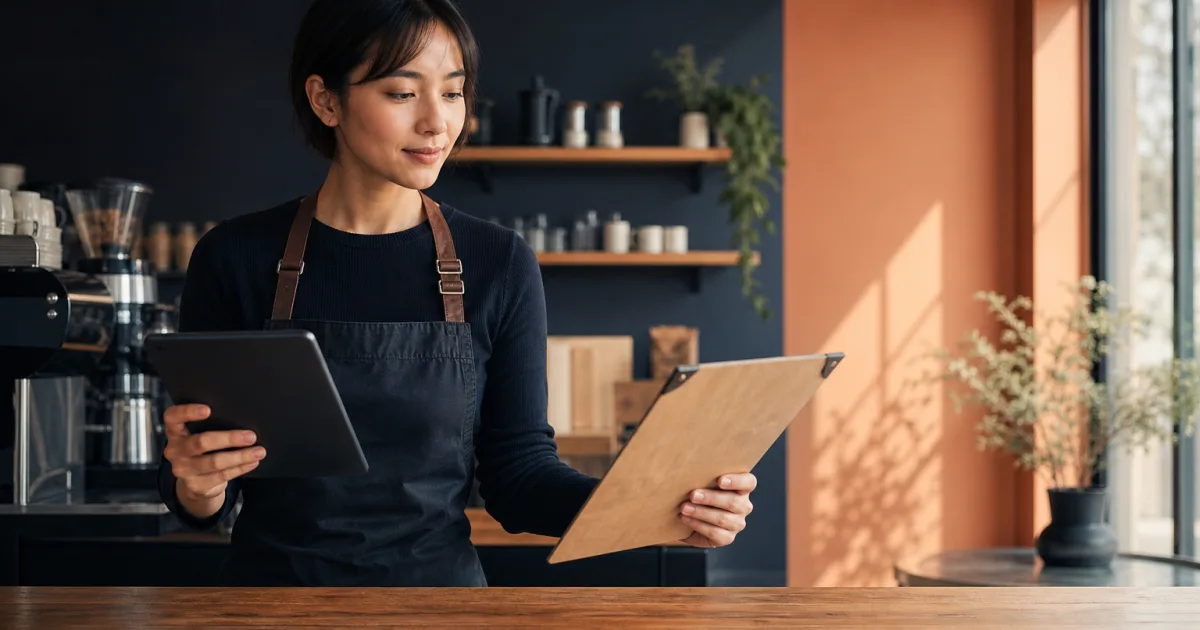
For a small café, the menu is both a customer-facing guide and an everyday operating document. It tells guests what they can order, but it also has to keep pace with price changes, changing availability and the way people access information at the counter or table. That is why the question is rarely whether a digital menu or a printed menu is universally better. The more useful question is which format creates the least friction for your venue.
A printed menu can feel familiar, immediate and easy to hand over. A digital menu can make routine changes easier to publish and can give customers a mobile-friendly way to browse. Each format has trade-offs. Looking closely at those trade-offs helps café owners choose a system that matches their menu, their pace of change and the experience they want to provide.
Where printed menus create friction
Printed menus are straightforward when the list of dishes, drinks and prices stays stable. A guest can read one without a phone, a connection or an extra step. For cafés that value a tangible object on the table, that can be an important part of the atmosphere.
The difficulty begins when a menu is not truly fixed. A price adjustment, a new item, a temporarily unavailable dish or a seasonal change can turn a simple printed menu into an outdated reference. Staff may need to explain differences between what is on paper and what can actually be ordered. Customers may need to ask whether an item is available or whether a listed price is current.
Even a small update raises practical decisions: should you keep using the existing menus, make a temporary correction, or replace them? If a café changes only one item occasionally, that process may be manageable. If prices and availability move more often, the effort can accumulate. The issue is not that print is wrong; it is that every change depends on a physical version being replaced or corrected.
- Price changes require the displayed document to be revised.
- Availability changes can leave guests looking at items that are not currently offered.
- Menu additions need space on the page or a new layout.
- Multiple copies mean one change must be reflected everywhere customers see the menu.
These points matter especially for cafés with a compact team. Time spent managing old menu versions is time that cannot be spent on service, preparation or the day’s work.
What a digital menu changes
A digital menu shifts the menu from a physical object to a page customers can open on a mobile device. In a café, this is commonly accessed through a QR code. The practical benefit is not simply that the menu is online. It is that the displayed menu can be kept aligned with the items, prices and availability you want customers to see.
With QR Menu for cafés and restaurants, a venue can publish a clear digital menu behind a QR code. The menu can be updated when dishes, prices or availability change, without reprinting menus. Customers can access it on their phones without installing anything.
That changes the daily workflow in a useful way. When an item is unavailable, the goal is to avoid creating uncertainty at the point of order. When a price changes, the goal is to make the current price visible. When a new dish is ready to offer, the goal is to add it without waiting for a new print run. A digital menu is therefore particularly relevant to operators who need to update a café menu quickly.
Customer access is part of the decision
Mobile access can be convenient for guests who prefer to browse at their own pace. A QR code gives them a direct route to the menu and lets them refer back to it while deciding. It can also reduce the need for staff to provide a physical menu to every customer.
However, convenience should not be confused with a reason to remove all alternatives. Some customers may prefer a printed menu or may not want to use a phone while ordering. A strong menu approach considers those customers rather than assuming one access method suits everyone. The best format is the one that makes ordering clearer for the people who visit your café.
When printed menus still help
Printed menus remain useful in several situations. They are immediately accessible, require no device and can support a particular service style. A concise printed card may work well for a stable core menu, a counter display or a setting where staff want to guide customers through a small selection.
Print can also serve as a dependable complement to a digital option. For example, a café may keep a short physical menu available while placing its wider or more changeable list online. This gives customers a choice while keeping the operational benefits of a menu that can be updated digitally.
There is no need to treat the formats as competitors in every circumstance. A printed menu is strongest when its information remains accurate for a useful period. A digital menu is strongest when accuracy depends on frequent changes. Understanding this distinction prevents a café from choosing a format solely because it is familiar or because it appears modern.
Choose the menu format around the changes your team actually makes, not around an idealised version of your day-to-day operation.
Assess price and availability updates before deciding
To compare a digital menu vs printed menu for café operations, start with the changes you make in a normal month. Think about individual dishes, drinks and add-ons rather than viewing the menu as one fixed document. A menu can look stable overall while a handful of items change often.
- List what changes. Note price adjustments, dishes that sell out, rotating specials and new additions.
- Estimate how often each change happens. A change that occurs rarely creates a different burden from one that happens regularly.
- Identify where customers see outdated information. Consider menus at tables, at the counter and any other version used during service.
- Consider the staff response. Ask how often team members need to clarify an item, price or availability.
- Match the solution to the pattern. Stable information may suit print; changeable information may suit a digital menu; many cafés may benefit from both.
This assessment makes restaurant menu management more concrete. Instead of deciding based on format alone, you can decide based on the effort needed to keep the menu accurate. Accuracy is valuable because it gives customers a clearer basis for ordering and gives staff a more consistent reference during service.
Choose a manageable hybrid approach
For many small venues, a hybrid approach is the practical middle ground. Keep a printed menu where it genuinely improves access or fits the customer experience, and use a digital menu for information that is likely to change. The printed piece can be concise, while the mobile menu carries the current list of dishes, prices and availability.
This approach does not require a café to abandon print. It lets the venue use print intentionally rather than relying on it for every update. It also avoids making mobile access the only path for customers. A guest who wants a physical menu can have one, while a guest who is comfortable using a phone can scan and browse.
To keep the arrangement manageable, decide which version is your working reference for changeable information. If the digital menu is the place you update first, staff can use it as the current source when prices or availability shift. QR Menu’s changeable mobile menu is designed for this purpose: publishing a clear menu behind a QR code and updating dishes, prices and availability from an accessible workspace for small businesses.
Make the customer journey clear
Whichever mix you choose, customers should be able to understand how to access the menu without confusion. Place the QR code where it is easy to notice, and make physical menus available where they are needed. The aim is not to force a particular behaviour. It is to make browsing and ordering comfortable.
Review the setup after you have used it in real service. Are staff still having to explain unavailable items? Are customers able to find the menu easily? Does the printed version remain accurate long enough to be useful? The answers can guide small adjustments without requiring an all-or-nothing change.
Conclusion: choose accuracy and access over format loyalty
A printed menu offers immediate, phone-free access and can remain a valuable part of a café experience. A digital menu makes it easier to reflect changes to dishes, prices and availability without reprinting. For cafés with a stable offering, print may be enough. For cafés with regular changes, a digital option can reduce friction. For many operators, a thoughtful hybrid gives customers choice while making the menu easier to manage.
If your café needs a clearer way to publish and update a mobile menu, explore QR Menu and see how a QR-based menu can support current prices and availability for your venue.