










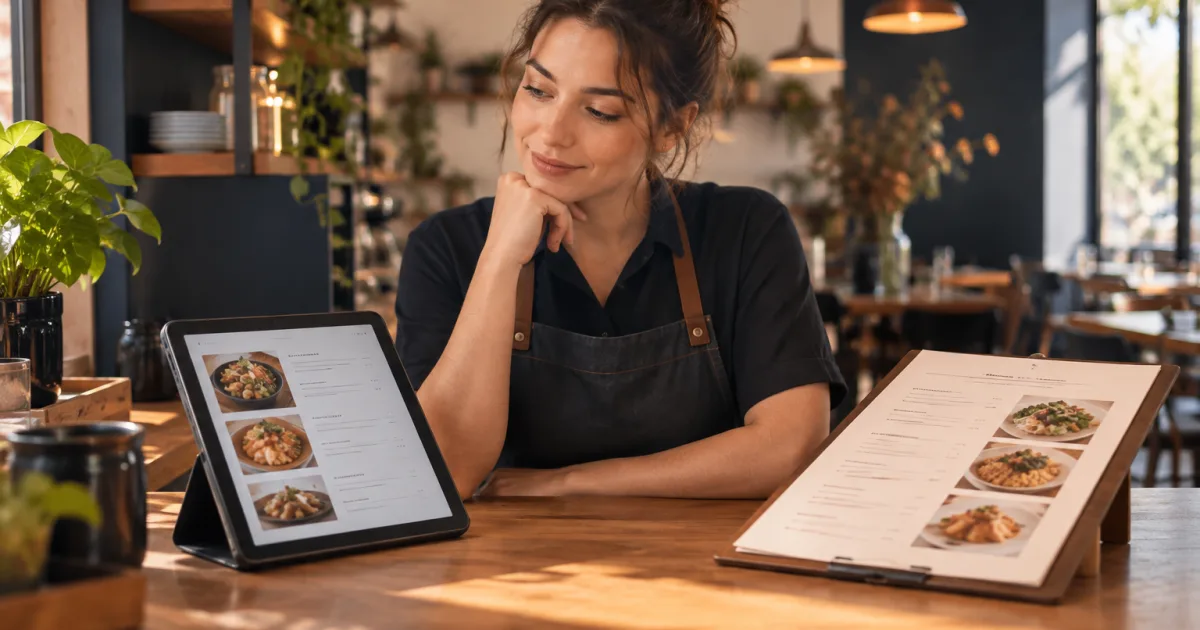
Menu changes are part of running a café or restaurant. A dish may sell out, a price may need adjusting, or a seasonal item may come and go. The question is not only which menu looks best: it is how easily your team can make a change and ensure customers see the correct information.
In the choice between a digital menu and a printed menu, neither format is automatically right for every business. A digital menu can make changes easier to publish, while a printed menu offers a physical option that customers can read without using a phone. Comparing your update routine, service style and costs can help you decide whether to use one format or both.
How each format handles menu changes

Printed menus: clear, but changes involve new copies
With a printed menu, the version a customer sees is the version already on paper. When dishes or prices change, you need to decide how to correct or replace the copies in circulation. For a small, temporary change, staff might explain the difference in person. For a lasting change, updating the printed menu usually means preparing and distributing revised copies.
That work can include checking the revised information, arranging printing and replacing older menus. The effort and expense depend on how many menus you use and how often you revise them. If changes happen regularly, old copies can remain in circulation unless someone removes them. That creates a practical risk: a customer may still be looking at information your team no longer intends to offer.
Printed menus can suit a menu that stays relatively stable. They also provide a straightforward way to browse without scanning a code or viewing a screen. But every revision creates a choice between leaving the old version in use, making a temporary correction or producing updated copies.
Digital menus: publish changes without reprinting
A digital menu behind a QR code gives your business another way to share menu information. With a service such as QR Menu for restaurants and cafés, you can publish a digital menu and change dishes, prices and availability without reprinting menus. Changes can be made instantly, which is useful when the information customers need to see changes during service.
That can reduce the repeated print-and-replace task. It does not remove the need to make careful updates: someone still has to check what has changed and ensure the digital menu reflects it. A published menu is only helpful if staff keep it aligned with what the restaurant is offering.
A QR menu also changes how customers access information. Customers scan a code and view the menu on a phone, without needing to install an app. Some customers may appreciate that direct access; others may prefer a paper menu or help from staff. The mobile experience should therefore be considered alongside the convenience of making updates.
Compare update effort, costs and the customer experience
It helps to compare the whole routine rather than focusing only on the moment a change is made. Ask who notices the change, who updates the menu, how quickly the update reaches customers and how your team handles questions during service. Include the recurring work and costs for each format, not just the first version you produce.
- For a printed menu: Consider how many copies need replacing, what you do with outdated ones and whether a temporary change can be communicated clearly.
- For a digital menu: Consider who is responsible for publishing edits, how staff confirm the change is visible and how customers can access the menu at the table.
- For either format: Decide how staff will communicate sold-out dishes and other changes, especially if a customer has already started choosing.
To make a practical cost comparison, estimate what you currently spend on printing and replacing menus over a period that reflects your normal update cycle. Include the number of copies you replace and any other direct printing expenses you track. Then compare that with any applicable costs for a digital-menu service over the same period. Use the figures available to your business rather than assuming that either format will be cheaper; the result depends on your menu, update frequency and chosen service.
The mobile experience matters too. A QR code can make a menu available without waiting for a printed copy, but customers need to notice and use the code. Think about whether it is easy to find and whether your team can help someone who would rather not use a phone. A QR menu should make access more convenient, not leave customers uncertain about how to order or ask a question.
Printed menus have their own service considerations. They are ready to hand to a customer, but copies need to be available and kept current. If a menu is frequently changing, staff may need a reliable way to explain which details have changed. In both formats, clear communication is part of the experience; the menu alone cannot answer every question about availability.
What to check before choosing a QR menu
Before moving to a QR menu, look at your actual menu-update pattern and the full routine for maintaining it. A business that changes several dishes or prices often may value the ability to publish changes without reprinting. If your menu rarely changes, replacing printed copies may be a manageable routine. The right decision depends on how much work and cost each approach creates for your particular team.
- Frequency: How often do dishes, prices or availability change? Note both planned seasonal changes and unexpected ones.
- Ownership: Who is allowed to update the menu, and who checks that the published information matches the current offering?
- Customer access: Will customers understand how to reach the menu, and can staff offer another way to browse when needed?
- Service habits: How will the team handle a dish becoming unavailable after customers have viewed the menu?
- Costs: What do printing and replacing copies cost across your usual update cycle? Compare that with any applicable digital-service costs for the same period.
- Existing materials: Do you want digital access to replace printed menus, or would a printed option remain useful for your customers and service?
These questions keep the decision grounded in everyday operations. A digital format can make publishing changes simpler, but it still needs an owner and a dependable review habit. A printed format can remain a useful choice, but it needs a plan for outdated copies and revisions. Neither format should be treated as accurate just because it has been created once.
A simple process for choosing the right format
- List recent changes. Write down the menu updates your team has made over a typical period, including price, dish and availability changes.
- Map the work and costs. For each change, note the steps needed to get correct information in front of customers. Track printing and replacing copies, any applicable digital-service costs and staff time spent explaining or correcting outdated details.
- Consider your customers. Think about how they prefer to browse and what support they may need to access the menu.
- Choose a workable routine. Decide whether printed, digital or combined menus best fit your service, then assign responsibility for keeping each version current.
- Review after using it. Check whether staff can maintain the routine and whether customers can find the information they need. Adjust the format or process if it creates avoidable confusion.
A combined approach may be practical when you want the flexibility of digital updates but also want a physical menu available. The important point is to avoid maintaining two versions without a clear way to keep them aligned. If you use both, decide which version is updated first and who checks that the other one matches. Include the effort of maintaining both in your comparison.
Conclusion: choose the menu your team can keep accurate

For frequent changes to dishes, prices and availability, a digital menu can make publishing updates easier by avoiding reprints. A printed menu remains useful when customers value a physical format or when your menu changes infrequently. Compare the printing and replacement work with any applicable digital-service costs, then consider your team’s capacity and your customers’ habits.
Start by reviewing how your restaurant currently handles changes, then choose a format and assign someone to keep it current. Explore whether a QR menu fits your restaurant’s menu-update routine.