










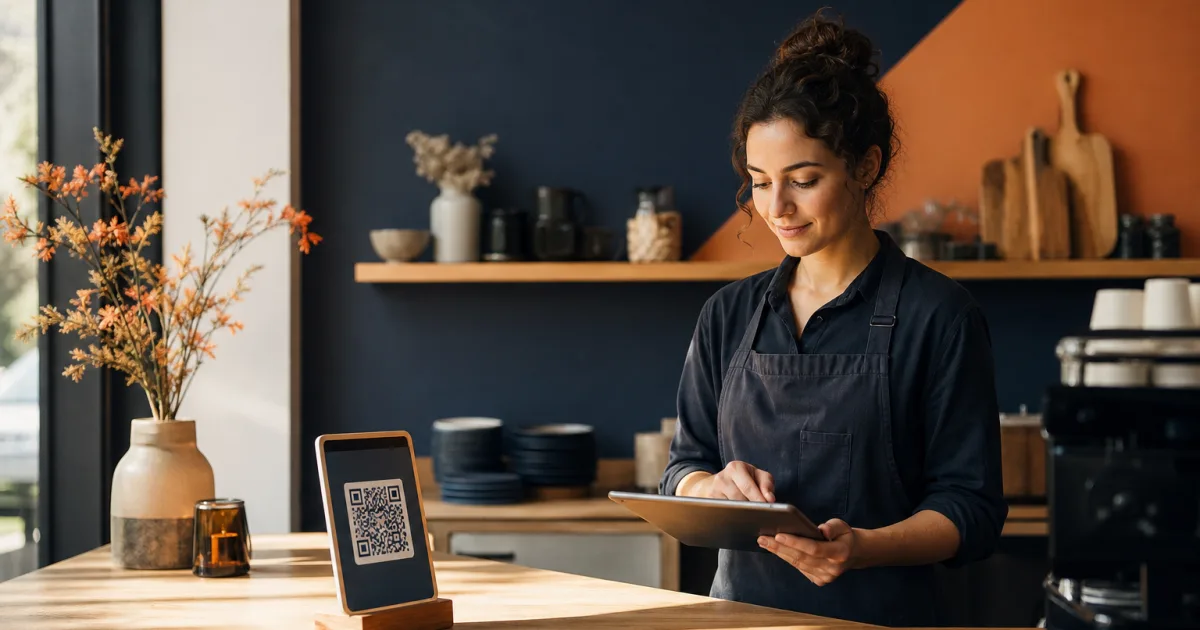
For a small café, a menu is not a fixed document. A breakfast item may sell out before lunch, a daily dish may change, and a price may need updating. When the menu is printed, even a small change can leave staff explaining discrepancies or crossing items out by hand. That creates avoidable uncertainty for customers and adds friction during service.
A digital menu behind a QR code gives cafés a more practical way to handle change. Instead of treating the menu as something that must be reprinted whenever details move, treat it as a live service document: clear enough for customers to browse on a phone, and simple enough for the team to review throughout the day.
This guide explains how to update a QR menu with a repeatable workflow. The goal is straightforward: customers should see the dishes, prices and availability that the café can actually offer when they are ready to order.
Start by identifying what changes most often

Not every part of a café menu needs the same level of attention. Begin by listing the information that is most likely to change during a normal day. This gives the team a focused review list rather than a vague instruction to “check the menu.”
- Daily dishes: specials or items that are prepared in limited quantities.
- Availability: dishes, drinks or add-ons that can sell out.
- Prices: any item whose listed price needs to be changed.
- Menu wording: names and descriptions that need to remain clear and recognisable to staff and customers.
Keep the list practical. A café with a compact offering may only need to monitor a few dishes and drinks. A venue with breakfast, lunch and afternoon service may need separate checks as the service changes. What matters is knowing which details can become inaccurate first.
Give ownership to a named person for each shift. That does not mean only one person can report a change; it means somebody is responsible for making sure the public menu reflects the current situation. Staff can flag that an item has run out, but the shift owner confirms that the availability shown to customers has been updated.
Publish one clear menu behind a QR code
A QR code restaurant menu works best when it leads customers directly to a menu that is easy to read on a phone. The menu should be the source customers are encouraged to use at the table, counter or queue. This reduces the chance that someone sees an old printed version while someone else sees a newer price online.
QR Menu is designed for restaurants and cafés that want to publish a clear digital menu behind a QR code. It lets a business change dishes, prices and availability without reprinting menus, while giving customers a mobile experience that does not ask them to install anything.
Before displaying the code, make the menu understandable without staff explanation. Use familiar category names, place each item where customers expect to find it, and make dish names distinct. A short, clear menu structure helps customers decide more easily and helps staff spot mistakes when they carry out a review.
Make the QR code part of the normal customer journey
Put the code where customers naturally look for menu information: on tables, at the counter or wherever the café directs guests to browse before ordering. The important operational principle is consistency. If the code is presented as the current menu, staff should also use that same menu as their reference during service.
Do not rely on memory to bridge the gap between what is displayed and what can be served. If an item is unavailable, the menu should be updated as soon as the team knows. A customer who sees the correct status before ordering has a clearer experience than one who chooses an item and learns later that it has gone.
Update prices and availability at the moment they change
The most useful habit is to make menu updates an immediate operational step, not an end-of-shift task. When a price changes, update the listed price. When a dish sells out, update its availability. When the item becomes available again, review the menu and change it back only when the café can serve it.
- Confirm the change. Check that the item is genuinely unavailable, or that the new price is the one the café intends to display.
- Update the menu. Change the dish, price or availability in the digital menu.
- Check the customer view. Open the menu as a customer would and confirm the result is clear.
- Tell the team. Let the people taking orders know that the public menu now reflects the change.
This short sequence helps prevent a common problem: the kitchen, counter and customer-facing menu each holding different information. It also reduces the need for staff to make exceptions or repeatedly explain why an advertised dish cannot be ordered.
For daily specials, decide in advance when they should appear and when they should be removed. For example, the person opening the café can confirm the day’s offering before service. The person responsible later in the day can remove an item as soon as it is no longer available. The process is simple, but it makes the digital menu for cafés more dependable.
A menu is accurate when it reflects what a customer can choose now, not what the café hoped to serve earlier in the day.
Check the mobile customer experience before service
A current menu is only useful if guests can understand it quickly on their phones. Before opening, scan the QR code with a phone and look at the menu as a first-time customer would. This small test catches issues that are easy to miss when the team is focused on preparing for service.
- Does the QR code open the intended menu?
- Are category names clear?
- Can customers see the dishes and prices without confusion?
- Are unavailable items shown accurately?
- Does the current day’s selection match what the team can serve?
Repeat the same check after a significant update, especially if a daily menu changes between services. The aim is not to create a complicated quality-control process. It is to verify that the information customers receive is the same information the café is working from.
Clear menu language matters here. Avoid relying on internal shorthand, temporary notes or explanations that only staff understand. Customers should be able to identify the item they want, see its current price and understand whether it is available. This supports smoother ordering and gives the team fewer questions to resolve at busy moments.
Build opening and closing reviews into the day
Accuracy becomes easier when it is part of the café’s routine. A brief opening review, an update habit during service and a closing review can keep the work manageable. The routine does not need a long meeting; it needs clear responsibilities and a reliable order of actions.
Opening review
Before customers arrive, check the day’s dishes, prices and availability. Add the items that are being offered, remove items that should not be visible and confirm that the QR code leads to the current menu. If the team expects a limited item to sell out, make sure the person on shift knows who will update the menu when that happens.
During-service review
Update the menu whenever availability or price changes. For a quieter café, this may happen only occasionally. For a busier service, staff can flag changes to the person responsible. The key is that no one waits until the end of the day to correct information that customers are seeing now.
Closing review
At the end of service, look over the menu and prepare it for the next opening. Remove temporary items that will not be offered again, review any price changes and note anything that needs confirming before the next shift. This helps the opening team start from a menu that is already close to correct.
Keep menu and service information organised
A café may also need to manage how many guests it can receive at particular services. That is a separate task from keeping the menu current, but both benefit from clear, current information. If the business accepts bookings, Restaurant reservations provides a clear view for receiving online bookings, controlling availability for each service and organising tables, areas and the waiting list.
Keeping these responsibilities distinct can make them easier to run. The menu tells customers what is currently on offer. Reservation management helps the team organise bookings and table availability. Both should have an owner, a review point and information that the team can trust.
Conclusion: make accuracy a daily habit
A paperless café menu is most valuable when it removes the delay between a change in the café and the information a customer sees. Identify the details that move most often, publish a clear mobile menu, update changes as they happen and check it at opening, during service and at closing.
For a practical way to keep dishes, prices and availability current without reprinting menus, explore Suite.coffee’s QR Menu for cafés and restaurants.