











Menu changes are a normal part of running a café or small restaurant. A dish may sell out, an ingredient may become unavailable, or a price may need to change. The challenge is making sure customers see accurate information when they choose what to order. A digital menu can make updates easier than replacing printed copies, but it still needs a clear routine and a careful review.
This guide explains how to prepare menu changes before service, update and check the customer-facing menu, and keep the information dependable throughout the day. The aim is not to make every change complicated. It is to give your team a repeatable way to keep the menu in step with what you can serve.
Why printed menus become difficult to keep accurate
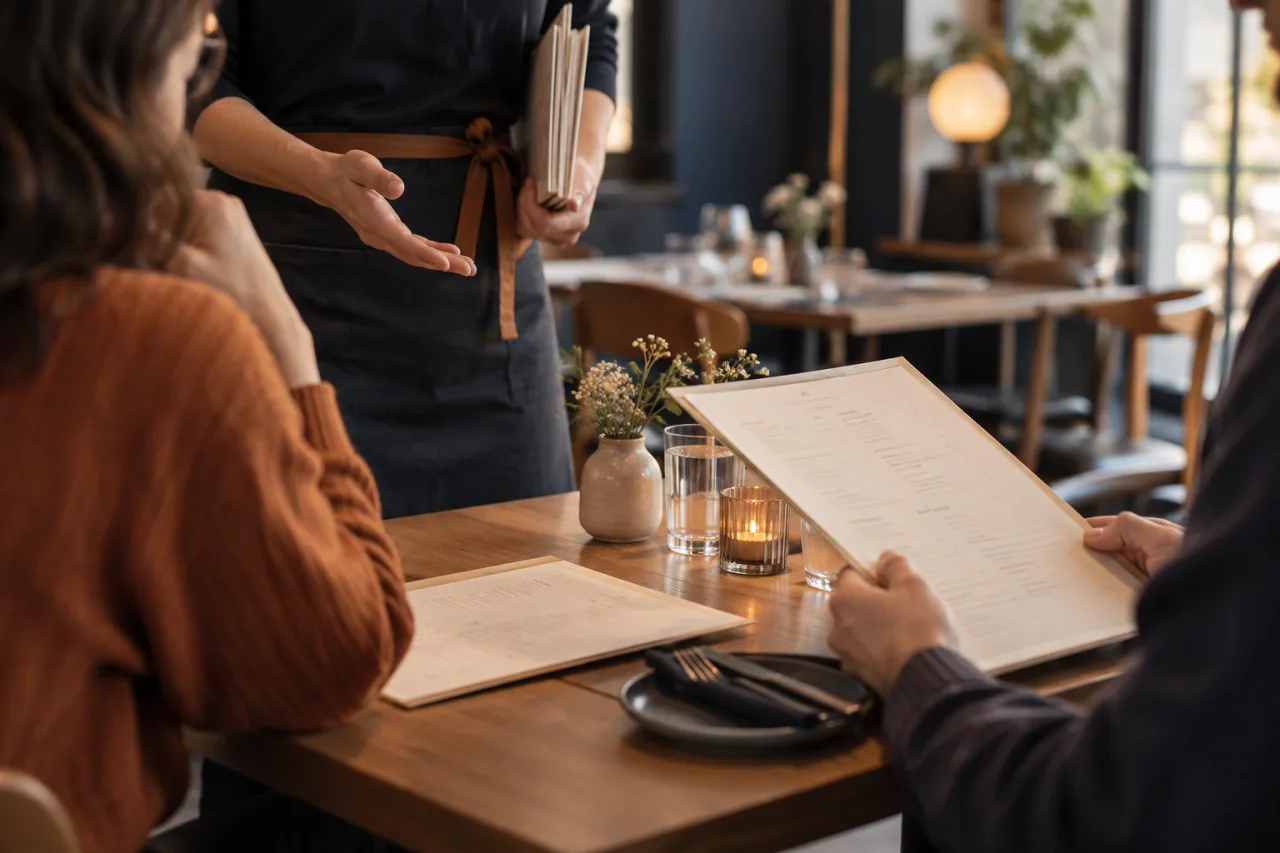
Printed menus are useful, but each copy reflects the information available when it was produced. If a dish, ingredient or price changes afterward, the printed version does not change with it. Staff may need to explain the difference at the table, cross out an item, or provide a verbal correction. When several copies are in use, it can also be harder to know which one reflects the current offering.
Frequent reprinting can add work to a busy operation. Even when a change is small, someone has to revise the menu and make sure the replacement copies reach the right places. That can make teams put off updates or rely on a temporary explanation instead. The practical problem is not simply that a menu is printed; it is that the customer-facing information can lag behind the decisions made by the team.
A digital menu offers another way to publish the information. With a QR menu, customers can open the menu on their phone, and the restaurant can update the digital version without reprinting menus. This can help when dishes, prices or availability change. It does not remove the need to decide what has changed, enter the correct information and make sure the team understands it.
Make a short pre-service list of changes
Before updating the menu, gather the changes in one place. A short checklist can prevent a rushed edit from fixing one detail while missing another. Keep it focused on what customers need to know and what staff need to communicate.
- Prices: note the item and its intended current price. Check that the change is deliberate and that the same item is not listed differently in another part of the menu.
- Dishes: identify new, changed or removed items. If a dish has changed, decide whether its name or description also needs to change so the menu remains clear.
- Availability: record items that are unavailable, temporarily unavailable or available again. Be specific about which dish is affected rather than relying on a general note.
- Timing: distinguish a change that applies before opening from one that may arise during service. This helps staff know when the information should be reviewed again.
Use the information your restaurant already relies on to confirm decisions. The menu-update process should not become a separate source of truth: if the team has not agreed on a price or whether an item can be served, pause and confirm before publishing. For a small operation, even a brief handover between the person making the decision and the person updating the menu can reduce avoidable confusion.
Update the digital menu and review what customers see
Once the changes are confirmed, update the digital menu. A tool such as QR Menu is designed to publish a digital menu behind a QR code and let cafés and restaurants update dishes, prices and availability without reprinting. Its mobile menu can be opened without asking customers to install anything. These are useful qualities for a restaurant that wants to keep its menu current while avoiding a new print run for every change.
After making an edit, review the menu as a customer would encounter it. Do not stop at confirming that the intended text was entered. Check the affected dish, its price and its availability together. If the item appears in more than one section, check each appearance. Read descriptions for details that may no longer match the dish, and make sure a change has not left an unclear or contradictory message.
Pay particular attention to the difference between an item being on the menu and being available to order at that moment. If an item cannot be served, the customer-facing information should make that clear. Likewise, if a dish is available again, remove any outdated indication that it is not. A digital menu can display updated information, but the quality of that information depends on the accuracy of the update and the review that follows.
It can help to assign responsibility for the final check. That does not need to create a complicated approval process. It simply means that someone knows to look at the customer-facing menu after an edit and confirm that the relevant details are clear before service gets busy.
Use a simple routine during service
Some changes are predictable before opening; others happen while customers are ordering. Build a lightweight check into the way your team communicates during service. When staff learn that a dish is no longer available or that a menu detail needs attention, they should know who will make the update and how the team will confirm it has been handled.
A practical sequence is:
- Report the change: identify the affected dish or price and share the information with the person responsible for the menu.
- Confirm the decision: make sure the team agrees on what customers should see, including whether the change is temporary or ongoing.
- Update the digital menu: edit the relevant information rather than relying only on a verbal explanation.
- Review and communicate: check the customer-facing menu and let staff know what has changed so they can answer questions consistently.
At a natural point in the day, check whether earlier availability notes are still correct. An item marked unavailable in the morning may return later, while a dish that was available at opening may sell out. The exact timing will depend on your service and menu; the important point is to make checking part of the routine instead of assuming the first update will remain accurate all day.
Keep the process proportionate. A small café may only need a short handover and a quick review of the changed items. The purpose is to reduce mismatches between what staff can serve and what customers read, not to add unnecessary administration.
What a QR menu can—and cannot—solve on its own
A QR menu can help make the current digital menu available to customers and make updates to dishes, prices and availability possible without reprinting. That is especially helpful when menu information changes often enough that printed copies become inconvenient to replace. A digital format also gives customers a way to view the menu on a phone without installing an app.
However, the QR code cannot decide whether a price is correct, know that a dish has sold out, or make a change on behalf of the team. It cannot replace a clear handover about what is available, nor does it guarantee that every customer will use the digital menu. Staff should still be prepared to explain the offering and respond to questions. If you continue to use printed menus or other ways of sharing menu information, remember that those versions may not reflect a digital edit.
Think of the QR menu as a publishing method within a broader update routine. It helps carry the information you choose to publish; your team remains responsible for choosing accurate information and checking it when circumstances change. If you are weighing up whether this approach fits your operation, consider how often your menu changes, who will update it, and how staff will share availability updates during service.
Build accuracy into the way you serve

Keeping a restaurant menu accurate does not require a lengthy process. Start with a short list of confirmed changes, update the digital menu, review the information customers will see and make a simple plan for changes during service. That routine can help keep dish names, prices and availability aligned without reprinting a menu for every adjustment.
A QR menu is most useful when it supports a dependable team process rather than standing in for one. Explore whether a digital QR menu fits your restaurant’s menu-update routine.