










Translate the whole menu hierarchy, not isolated words, before offering a public language.
Before you start
- Finish the primary-language menu.
- List the languages actually needed by visitors.
Start with the primary language
Complete names, descriptions and image alternative text in the language configured for Meal. This is the operational fallback for the public menu.
Edit one locale at a time
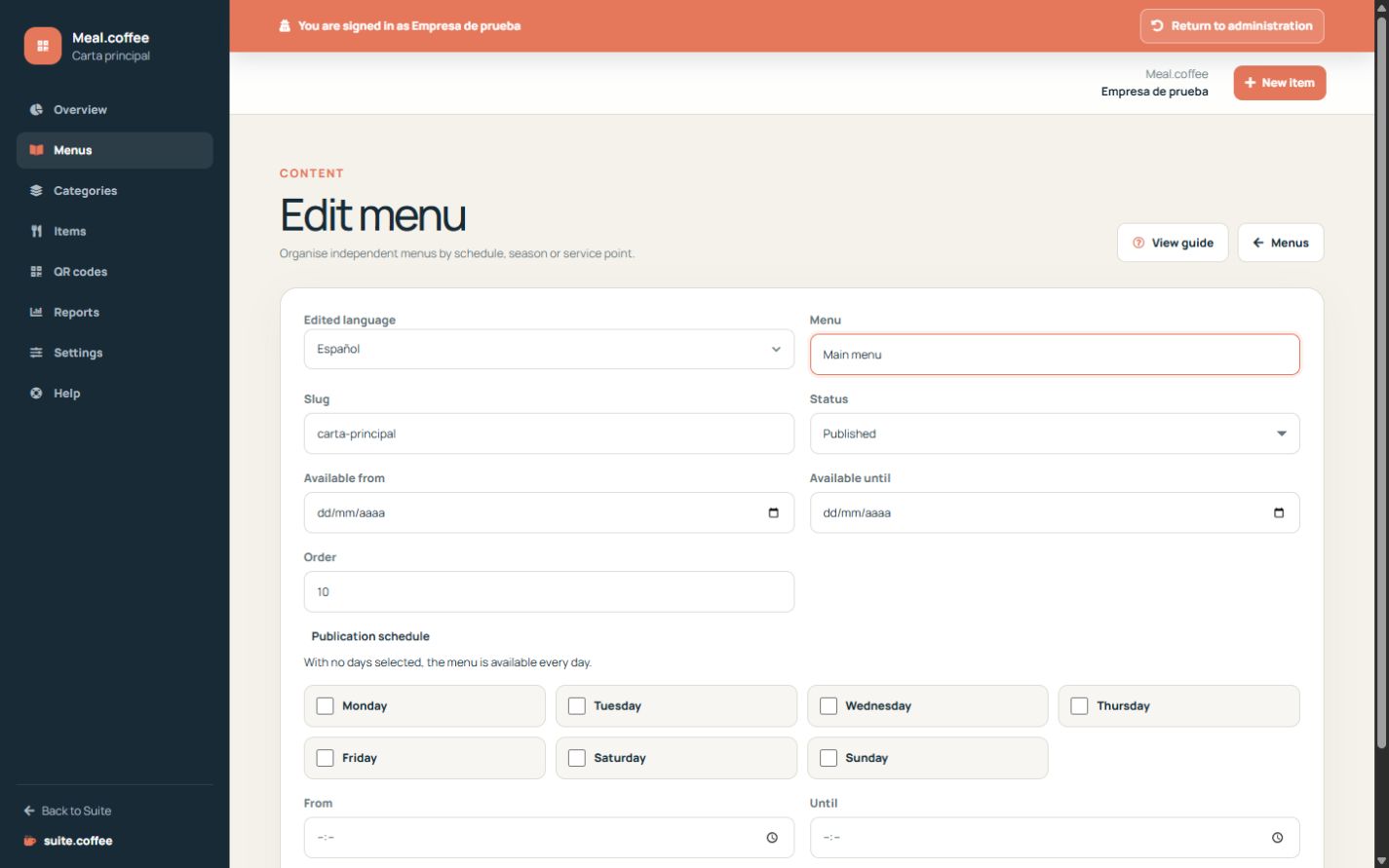
Menu, category and product forms save the locale selected in the editor. Reopen each record for every language your audience needs and review the complete hierarchy.
Control public choices
The language selector offers only published locales for which the menu has content. If a requested locale is unavailable, Meal falls back to the configured primary language or another available published translation.
Step by step
- Open a menu and choose the target language in Edited language.
- Save the translated menu name and description.
- Repeat for every category in that menu.
- Repeat for every item, including description and image alternative text.
- Open the public menu in that language and review the complete hierarchy.
Final check
- No visible level silently depends on internal wording.
- Names, descriptions and dietary information remain consistent.
- The public language selector offers only complete, intended versions.
Tip: Translate one complete menu at a time; scattered translations are difficult to verify from the customer view.